Everything for a night out.
Five tabs on your phone: Tonight, Learn, Sky, Studio and Explore. One idea on each.
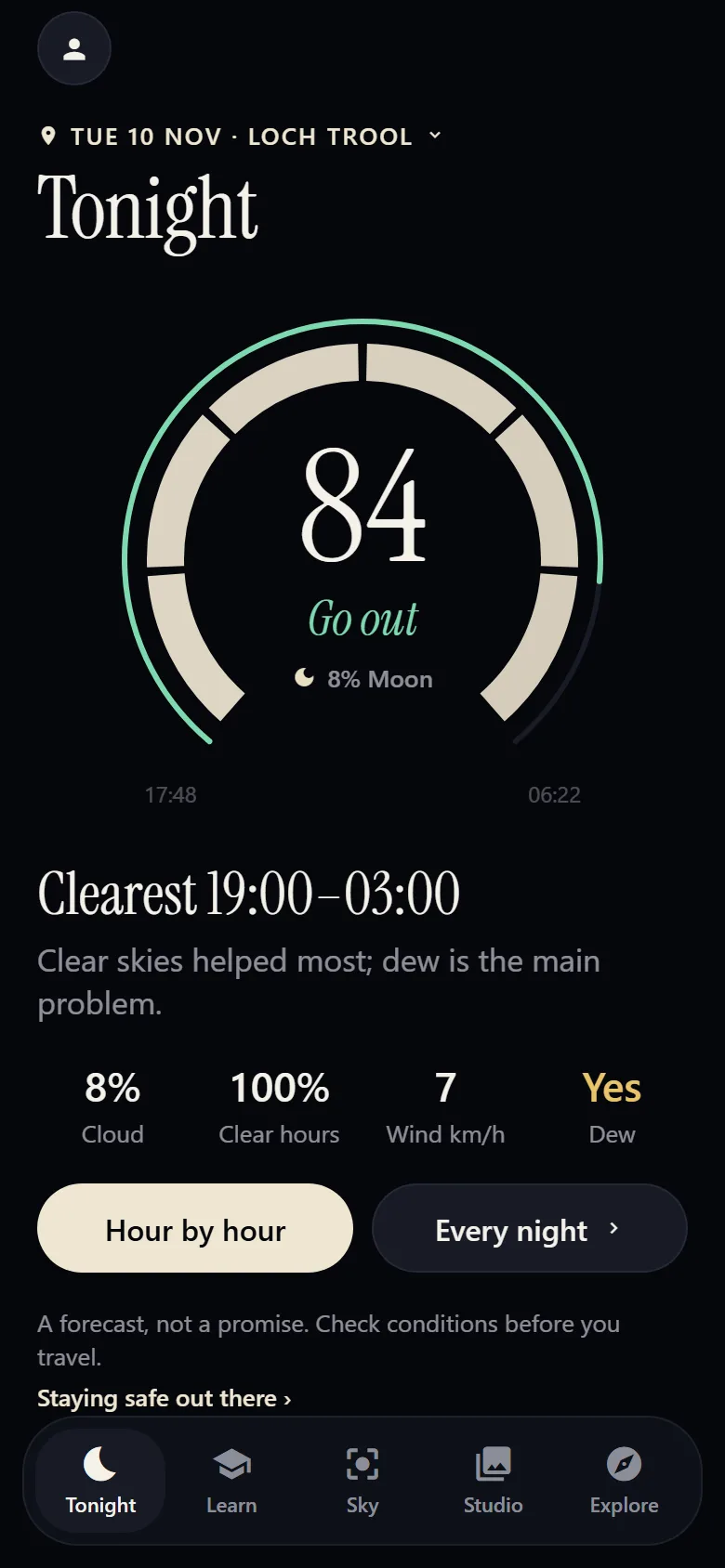
Tonight
Is it worth going out? A score for the night and the clearest hours, for where you are or wherever you are going.
How the score works
The score comes from clear sky, the Moon, hours of darkness and how confident the forecast is. Wind and dew are shown beside it, with a note when they matter.
- Forecast nights up to 16 days ahead, hour by hour.
- Alerts for good nights, aurora and meteor showers, with an account and a home place.
- No signal? The last forecast stays on your phone, marked with when it was saved.
A forecast is an estimate, not a promise. Check conditions before you travel.
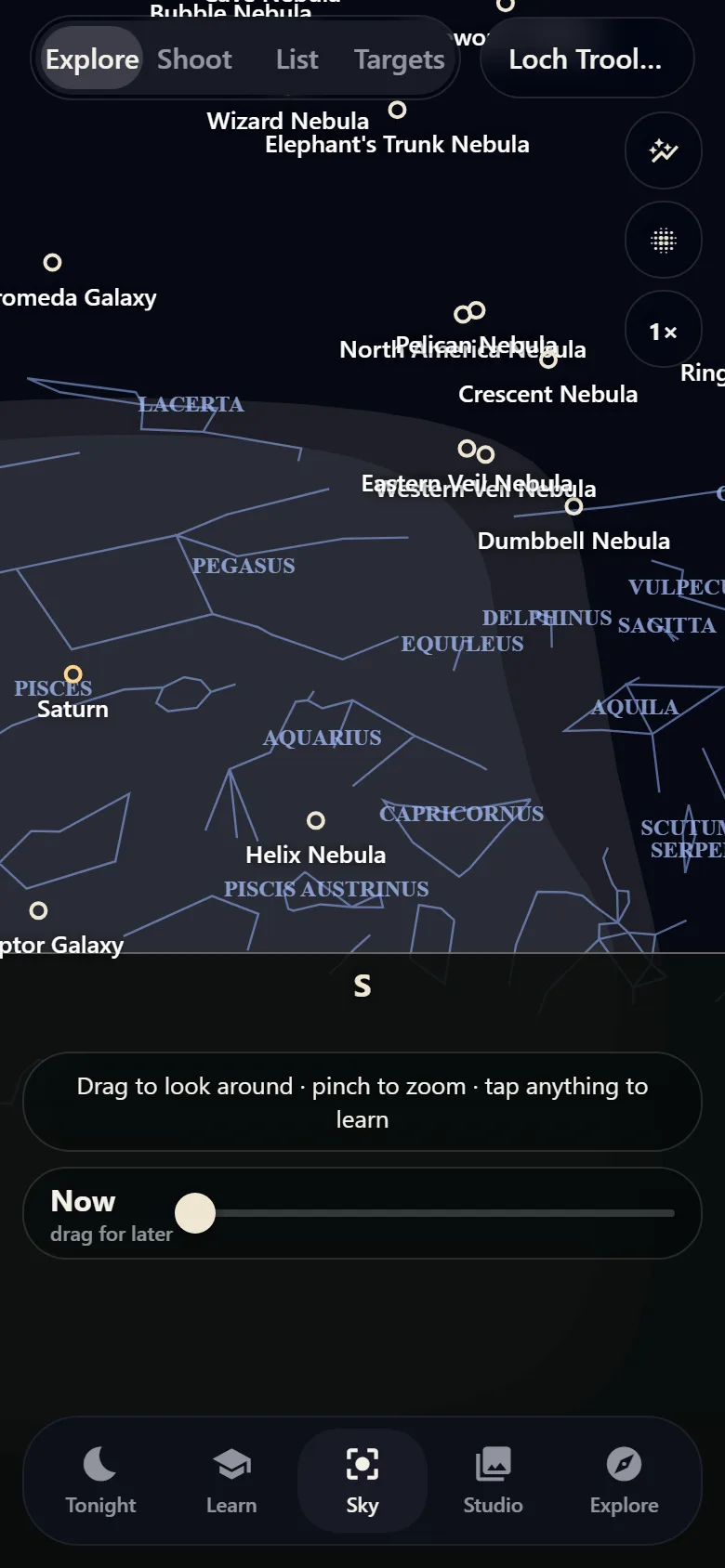
Sky
Hold your phone up and see what you are looking at. Labels sit over the live camera and move with it.
What it shows
- Constellations, the Milky Way and its core, the Moon, Jupiter, Saturn, Mars and Venus.
- Deep-sky targets you can tap for details.
- A time slider, up to 12 hours ahead, so you can see where things will be.
- Your place and hemisphere, wherever you travel.
- Shoot mode, with an altitude grid, thirds and Check framing.
Positions are calculated for your place and time, so treat them as a guide.
Pictured: the chart preview. On a phone, the same labels sit over the live camera.
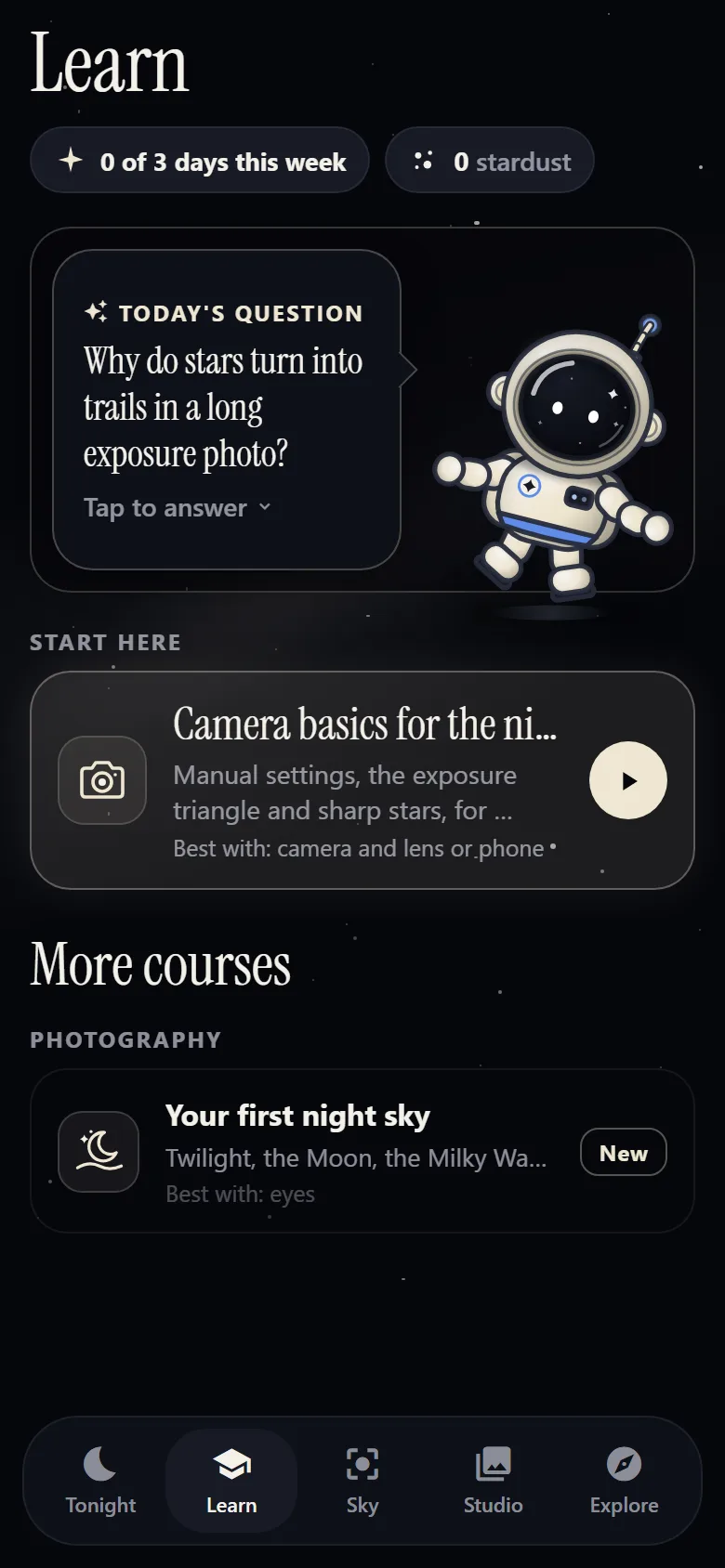
Learn
Short lessons on the sky and your camera. Move the sliders on a simulator and see the result, with Starnie, your guide, alongside. Lessons are free.
What is in it
- Your first night sky: twilight, the Moon and finding your way, with nothing but your eyes.
- Camera basics for the night: manual settings, the exposure triangle and sharp stars.
- Simulators for star fields, star trails, the Moon, planets, meteors, aurora and the Milky Way.
Lessons work without an account. Your progress stays on your phone, and joins your account if you make one.
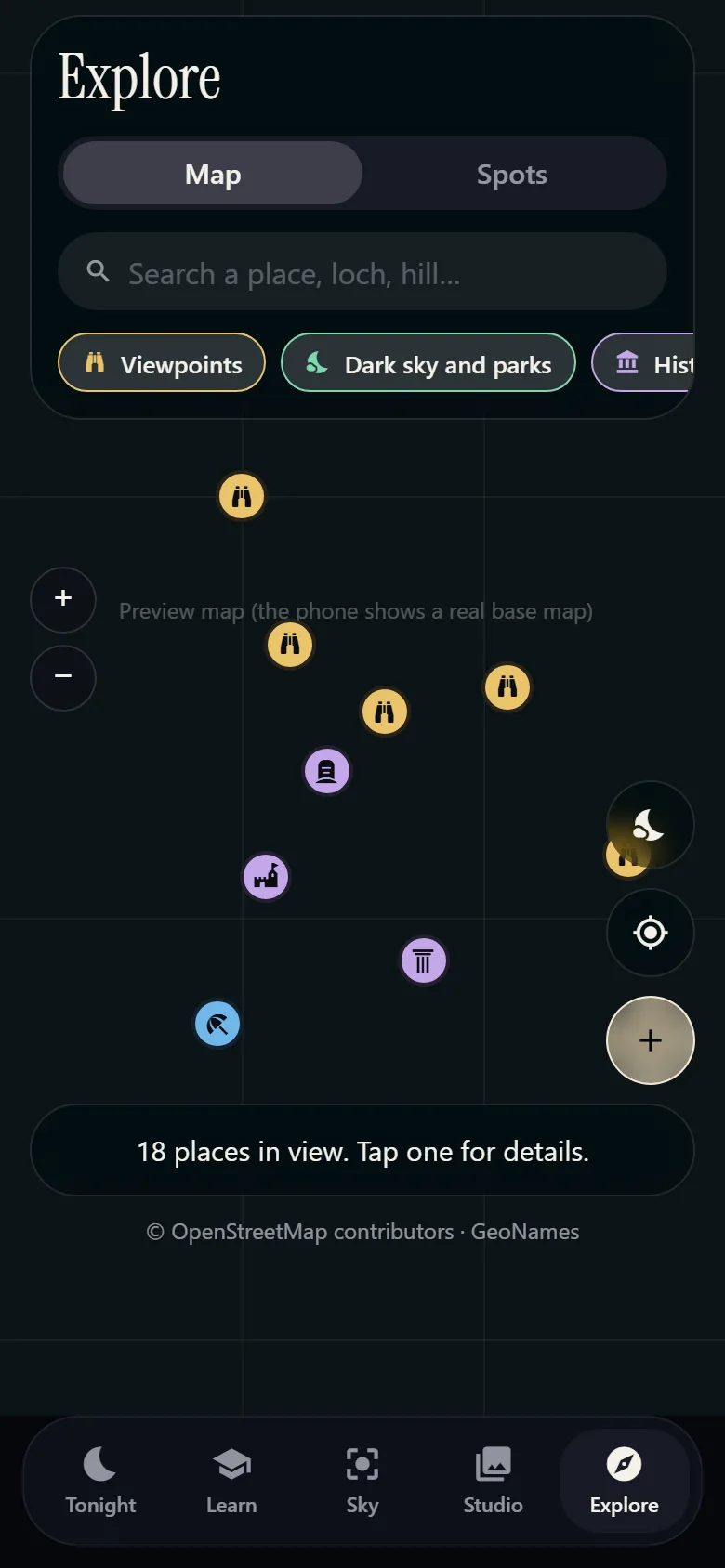
Explore
A map of places worth the drive. Turn on what you care about, and save your own spots.
What is on the map
- On by default: viewpoints, dark sky places and parks, history and stones, coast and water.
- Off until you want them: landmarks, hills and nature, places to stay and eat, comfort and safety.
- Places you have added yourself: long-press the map to drop one.
Map data: © OpenStreetMap contributors (ODbL) and GeoNames.
Shoot
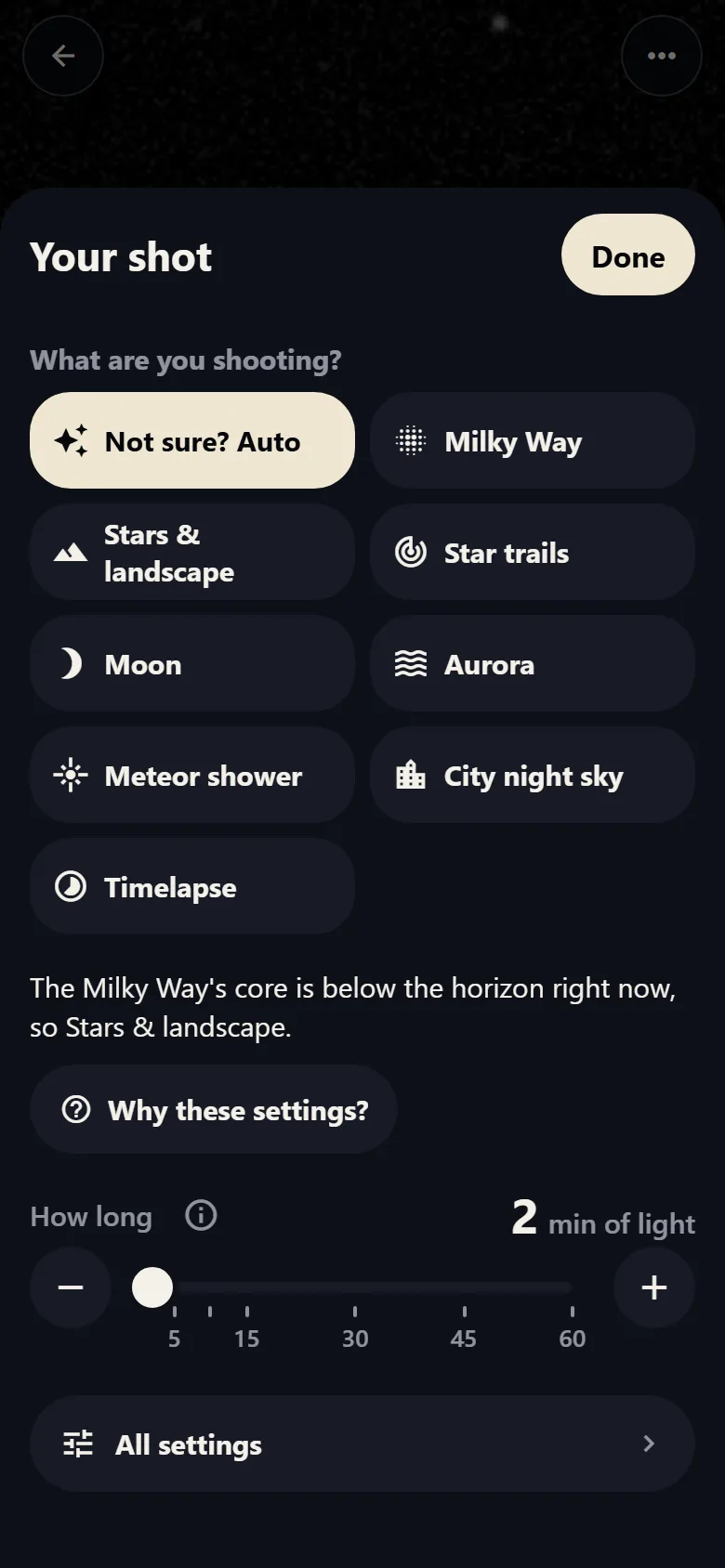
Your phone's camera, set up for the night. Pick a mode, or let Auto choose and explain itself. You can take control at any point.
Modes and controls
- Not sure? Auto, plus Milky Way, Stars and landscape, Star trails, Moon, Aurora, Meteor shower, City night sky and Timelapse.
- Manual shutter, ISO, focus peaking and white balance.
- Frames stacked on the phone, for fainter stars and a smoother sky.
- Why these settings? explains each choice in plain words.
- Red mode keeps your eyes used to the dark.
Studio
Edit on your phone, then turn your photos into posts on your computer, ready to share from your phone.
Phone and desktop
- Phone: Posts, Projects and Calendar, with looks, sliders, masks, satellite removal and crop.
- Desktop: post styles, carousels, Reels, star trails, timelapse, a Milky Way blend and hashtag help.
Moving a project between phone and desktop needs an account.
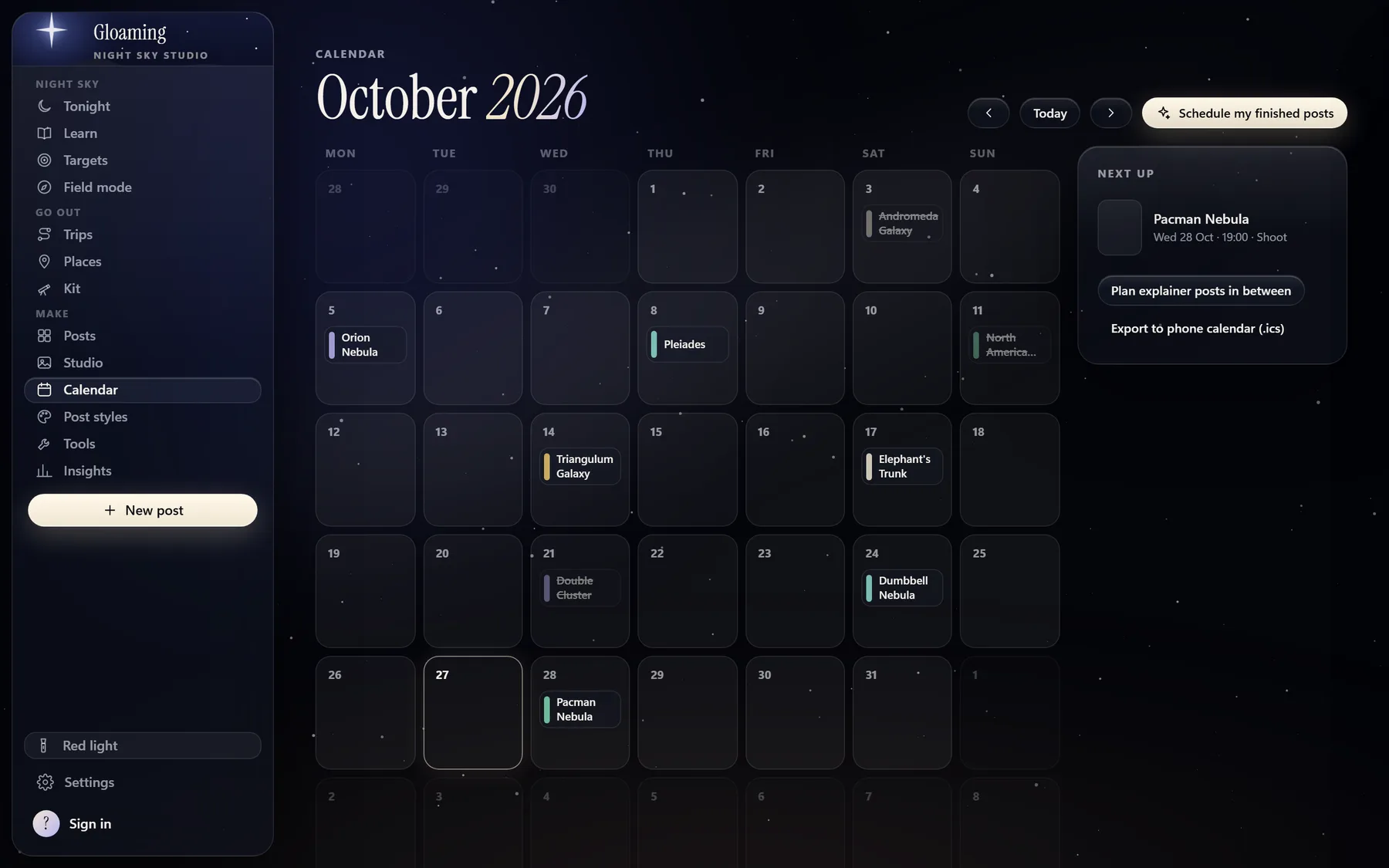
Screens show sample data.